Showing posts with label iPad. Show all posts

Wednesday, December 1

Personal digital assistant


The Palm TX

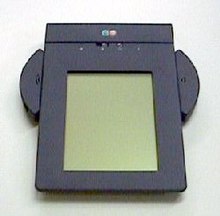
EO Personal Communicator (440) from AT&T

A personal digital assistant (PDA), also known as a palmtop computer, is a mobile device that functions as a personal information manager. Current PDAs often have the ability to connect to the Internet. A PDA has an electronic visual display, enabling it to include a web browser, but some newer models also have audio capabilities, enabling them to be used as mobile phones or portable media players. Many PDAs can access the Internet, intranets or extranets via Wi-Fi or Wireless Wide Area Networks. Many PDAs employ touchscreen technology.
The term PDA was first used on January 7, 1992 by Apple Computer CEO John Sculley at the Consumer Electronics Show in Las Vegas, Nevada, referring to the Apple Newton. In 1996, Nokia introduced the first mobile phone with full PDA functionality, the 9000 Communicator, which grew to become the world's best-selling PDA. The Communicator spawned a new category of mobile phones: the smartphone. Today, the vast majority of all PDAs are smartphones. Over 150 million smartphones are sold each year, while "stand-alone" PDAs without phone functionality sell only about 3 million units per year.
 Popular smartphone brands include HTC, Apple, Palm, Nokia N-Series, and RIM BlackBerry.

Typical features

A typical PDA has a touchscreen for entering data, a memory card slot for data storage, and IrDA, Bluetooth and/or Wi-Fi. However, some PDAs may not have a touch screen, using softkeys, a directional pad, and a numeric keypad or a thumb keyboard for input; this is typically seen on telephones that are incidentally PDAs.
In order to have the functions expected of a PDA, a device's software typically includes an appointment calendar, a to-do list, an address book for contacts, and some sort of memo (or "note") program. PDAs with wireless data connections also typically include an email client and a Web browser.

Touch screen
Many of the original PDAs, such as the Apple Newton and Palm Pilot, featured a touchscreen for user interaction, having only a few buttons—usually reserved for shortcuts to often-used programs. Touchscreen PDAs, including Windows Mobile devices, may have a detachable stylus to facilitate making selections. The user interacts with the device by tapping the screen to select buttons or issue commands, or by dragging a finger or the stylus on the screen to make selections or scroll.
Typical methods of entering text on touchscreen PDAs include:
A virtual keyboard, where a keyboard is shown on the touchscreen. Text is entered by tapping the on-screen keyboard with a finger or stylus.
An external keyboard connected via USB, Infrared, or Bluetooth. Some users may choose a chorded keyboard for one-handed use.
Handwriting recognition, where letters or words are written on the touchscreen, and the PDA converts the input to text. Recognition and computation of handwritten horizontal and vertical formulas, such as "1 + 2 =", may also be a feature.
Stroke recognition allows the user to make a predefined set of strokes on the touchscreen, sometimes in a special input area, representing the various characters to be input. The strokes are often simplified character shapes, making them easier for the device to recognize. One widely-known stroke recognition system is Palm's Graffiti).
Despite rigorous research and development projects, end-users experience mixed results with handwriting recognition systems. Some find it frustrating and inaccurate, while others are satisfied with the quality of the recognition.
Touchscreen PDAs intended for business use, such as the BlackBerry and Palm Treo, usually also full keyboards and scroll wheels or thumbwheels to facilitate data entry and navigation.
Many touchscreen PDAs support some form of external keyboard as well. Specialized folding keyboards, which offer a full-sized keyboard but collapse into a compact size for transport, are available for many models. External keyboards may attach to the PDA directly, using a cable, or may use wireless technology such as infrared or Bluetooth to connect to the PDA.
Newer PDAs, such as the Apple iPhone, Apple iPod Touch, HTC HD2, and Palm Pre, include more advanced forms of touchscreen that can register multiple touches simultaneously. These "multi-touch" displays allow for more sophisticated interfaces using various gestures entered with one or more fingers.

Memory cards
Although many early PDAs did not have memory card slots, now most have either some form of Secure Digital (SD) slot or a CompactFlash slot. Although originally designed for memory, Secure Digital Input/Output (SDIO) and CompactFlash cards are available that provide accessories like Wi-Fi or digital cameras, if the device can support them. Some PDAs also have a USB port, mainly for USB flash drives.[dubious – discuss] Some PDAs use microSD cards, which are electronically compatible with SD cards, but have a much smaller physical size.

Wired connectivity
While early PDAs connected to a user's personal computer via serial ports or another proprietary connection,[specify] many today connect via a USB cable. PDAs are not typically able to connect to each other via USB, as USB requires one machine to act as a "host," which isn't a typical PDA function.
Some early PDAs were able to connect to the Internet indirectly by means of an external modem connected via the PDA's serial port or "sync" connector, or directly by using an expansion card that provided an Ethernet port.

Wireless connectivity
Most modern PDAs have Bluetooth a popular wireless protocol for mobile devices. Bluetooth can be used to connect keyboards, headsets, GPS receivers, and other nearby accessories. It's also possible to transfer files between PDAs that have Bluetooth.
Many modern PDAs have Wi-Fi wireless network connectivity, and can connect to Wi-Fi hotspots.
All smartphones, and some other modern PDAs like the Apple iPod touch, can connect to Wireless Wide Area Networks, such as those provided by cellular telecommunications companies.
Older PDAs typically had an IrDA (infrared) port allowing short-range, line-of-sight wireless communication. Few current models use this technology, as it has been supplanted by Bluetooth and Wi-Fi. IrDA allows communication between two PDAs, or between a PDA and any device with an IrDA port or adapter. Some printers have IrDA receivers, allowing IrDA-equipped PDAs to print to them, if the PDA's operating system supports it. Most universal PDA keyboards use infrared technology because many older PDAs have it. Infrared technology is low-cost and has the advantage of being allowed aboard aircraft.

Synchronization
Most PDAs can synchronize their data with applications on a user's personal computer. This allows the user to update contact, schedule, or other information on their computer, using software such as Microsoft Outlook or ACT!, and have that same data transferred to PDA—or transfer updated information from the PDA back to the computer. This eliminates the need for the user to update their data in two places.
Synchronization also prevents the loss of information stored on the device if it is lost, stolen, or destroyed. When the PDA is repaired or replaced, it can be "re-synced" with the computer, restoring the user's data.
Some users find that data input is quicker on on their computer than on their PDA, since text input via a touchscreen or small-scale keyboard is slower than a full-size keyboard. Transferring data to a PDA via the computer is therefore a lot quicker than having to manually input all data on the handheld device.
Most PDAs come with the ability to synchronize to a computer. This is done through synchronization software provided with the handheld, or sometime with the computer's operating system. Examples of synchronization software include:
HotSync Manager, for Palm OS PDAs
Microsoft ActiveSync, used by Windows XP and older Windows operating systems to synchronize with Windows Mobile, Pocket PC, and Windows CE PDAs, as well as PDAs running iOS, Palm OS, and Symbian
Microsoft Windows Mobile Device Center for Windows Vista, which supports Microsoft Windows Mobile and Pocket PC devices.
Apple iTunes, used on Mac OS X and Microsoft Windows to sync iOS devices (such as the iPhone and iPod touch)
iSync, included with Mac OS X, can synchronize many SyncML-enabled PDAs
BlackBerry Desktop Software, used to sync BlackBerry devices
These programs allow the PDA to be synchronized with a personal information manager, which may be part of the computer's operating system, provided with the PDA, or sold separately by a third party. For example, the RIM BlackBerry comes with RIM's Desktop Manager program, which can synchronize to both Microsoft Outlook and ACT!.
Other PDAs come only with their own proprietary software. For example, some early Palm OS PDAs came only with Palm Desktop, while later Palm PDAs—such as the Treo 650—have the ability to sync to Palm Desktop aor Microsoft Outlook. Microsoft's ActiveSync and Windows Mobile Device Center only synchronize with Microsoft Outlook or a Microsoft Exchange server.
Third-party synchronization software is also available for some PDAs from companies like CommonTime and CompanionLink. Third-party software can be used to synchronize PDAs to other personal information managers that are not supported by the PDA manufacturers (for example, GoldMine and IBM Lotus Notes).

Wireless synchronization
Some PDAs can synchronize some or all of their data using their wireless networking capabilities, rather than having to be directly connected to a personal computer via a cable.
Apple iOS devices, like the iPhone, iPod Touch, and iPad, can use Apple's MobileMe subscription service to synchronize calendar, address book, mail account, Internet bookmark, and other data with one or more Macintosh or Windows computers using Wi-Fi or cellular data connections.
Palm's webOS smartphones primarily sync with the cloud. For example, if Gmail is used, information in contacts, email, and calendar can be synchronized between the phone and Google's servers.
RIM sells BlackBerry Enterprise Server to corporations so that corporate BlackBerry users can wirelessly synchronize their PDAs with the company's Microsoft Exchange Server, IBM Lotus Domino, or Novell GroupWise servers. Email, calendar entries, contacts, tasks, and memos kept on the company's server are automatically synchronized with the BlackBerry.

Automobile navigation

Some PDAs include Global Positioning System (GPS) receivers; this is particularly true of smartphones. Other PDAs are compatible with external GPS-receiver add-ons that use the PDA's processor and screen to display location information.
PDAs with GPS functionality can be used for automotive navigation. PDAs are increasingly being fitted as standard on new cars.
PDA-based GPS can also display traffic conditions, perform dynamic routing, and show known locations of roadside mobile radar guns. TomTom, Garmin, and iGO offer GPS navigation software for PDAs.


]Ruggedized PDAs

Some businesses and government organizations rely upon rugged PDAs, sometimes known as enterprise digital assistants (EDAs), for mobile data applications. EDAs often have extra features for data capture, such as barcode readers, radio-frequency identification (RFID) readers, magnetic stripe card readers, or smart card readers.
Typical applications include:
supply chain management in warehouses
package delivery
route accounting
medical treatment and recordkeeping in hospitals
facilities maintenance and management
parking enforcement
access control and security
capital asset maintenance
meter reading by utilities
"wireless waitress" applications in restaurants and hospitality venues


Medical and scientific uses

Many companies have developed PDA products aimed at the medical professions' unique needs, such as drug databases, treatment information, and medical news. Services such as AvantGo translate medical journals into PDA-readable formats. WardWatch organizes medical records, providing reminders of information such as the treatment regimens of patients and programs to doctors making ward rounds. Pendragon and Syware provide tools for conducting research with PDAs, allowing the user to enter data into a centralized database using their PDA. Microsoft Visual Studio and Sun Java also provide programming tools for developing survey instruments on the handheld. These development tools allow for integration with SQL databases that are stored on the handheld and can be synchronized with a desktop- or server-based database.
PDAs have been shown to aid diagnosis and drug selection and some studies[who?] have concluded that when patients use PDAs to record their symptoms, they communicate more effectively with hospitals during follow-up visits.
The development of Sensor Web technology may lead to wearable bodily sensors to monitor ongoing conditions, like diabetes or epilepsy, which would alert patients and doctors when treatment is required using wireless communication and PDAs.

Educational uses

As mobile technology becomes more common, it is increasingly being used as a learning tool. Some educational institutions have embraced M-Learning, integrating PDAs into their teaching practices.
PDAs and handheld devices are allowed in many classrooms for digital note-taking. Students can spell-check, modify, and amend their class notes on the PDA. Some educators distribute course material through the Internet or infrared file-sharing functions of the PDA. Textbook publishers have begun to release e-books, or electronic textbooks, which can be uploaded directly to a PDA, reducing the number of textbooks students must carry.
Software companies have developed PDA programs to meet the instructional needs of educational institutions, such as dictionaries, thesauri, word processing software, encyclopedias, and digital lesson planners.

Recreational uses
PDAs may be used by music enthusiasts to play a variety of music file formats. Many PDAs include the functionality of an MP3 player.
Road rally enthusiasts can use PDAs to calculate distance, speed, and time. This information may be used for navigation, or the PDA's GPS functions can be used for navigation.
Underwater divers can use PDAs to plan breathing gas mixtures and decompression schedules using software such as "V-Planner."


PDAs for people with disabilities

PDAs offer varying degrees of accessibility for people with differing abilities, based on the particular device and service. People with vision, hearing, mobility, or speech impairments may be able to use PDAs on a limited basis. This use may be enhanced by accessibility software (e.g., speech recognition for verbal input instead of manual input). Universal design is relevant to PDAs as well as other technology, and a viable solution for many user-access issues, though it has yet to be consistently integrated into the design of popular consumer PDA devices.
PDAs are useful for people with traumatic brain injury or posttraumatic stress disorder, as seen in troops returning home from the Iraq War and Operation Enduring Freedom. PDAs help address memory problems, helping affected people with daily life organization and reminders. As of quite recently[when?], the Department of Veterans' Affairs has issued thousands of PDAs to troops who need them. Occupational therapists have taken on a crucial role within this population helping these veterans return to the normality of life they once had.


(source:wikipedia)

Tuesday, November 30

InterNIC

The Internet Network Information Center, known as InterNIC, was the Internet governing body primarily responsible for domain name and IP address allocations until September 18, 1998 when this role was assumed by the Internet Corporation for Assigned Names and Numbers (ICANN). It was accessed through the domain name internic.net, with email, FTP and World Wide Web services run by Network Solutions, Inc and AT&T.

Term

InterNIC is a registered service mark of the U.S. Department of Commerce. The use of the term is licensed to the Internet Corporation for Assigned Names and Numbers (ICANN).

History

The first central authority to coordinate the operation of the network was the Network Information Center (NIC) at the Stanford Research Institute (SRI) in Menlo Park, California. In 1972, management of network resources was transferred to the newly created Internet Assigned Numbers Authority (IANA). Jon Postel fulfilled the role of manager of IANA, in addition to his role as the RFC Editor, until his death in 1998.
On the ARPANET, hosts were given names to be used in place of numeric addresses and a HOSTS.TXT file was distributed by SRI International and manually installed on each host on the network to provide a mapping between these names and their corresponding network address. As the network grew, this became increasingly cumbersome. A technical solution came in the form of the Domain Name System, created by Paul Mockapetris. The Defense Data Network Network Information Center (DDN-NIC) at SRI handled all registration services, including the top-level domains mil, gov, edu, org, net, com and us. DDN-NIC also performed root nameserver administration and Internet number assignments under a United States Department of Defense contract. In 1991, the Defense Information Systems Agency (DISA) awarded the administration and maintenance of DDN-NIC, which had been up until this point under the management of SRI for many years, to Government Systems, Inc. which subcontracted it to the small private-sector firm Network Solutions, Inc.
Up to this time, most of the growth of the Internet was in the non-military sector. Therefore, it was decided that the Department of Defense would no longer fund registration services outside of the mil domain. In 1993, the National Science Foundation of the United States, after a competitive bidding process in 1992, created the Internet Network Information Center, known as InterNIC, to manage the allocations of addresses and awarded the contract to three organizations. Registration services were to be provided by Network Solutions, directory and database services were to be run by AT&T, and information services by General Atomics. Later, General Atomics was disqualified from the contract after a review found their services not conforming to the standards of its contract. General Atomics' InterNIC functions were assumed by AT&T. AT&T discontinued InterNIC services after their contract expired.
In 1998 both IANA and InterNIC were reorganized under the control of ICANN, a California non-profit corporation contracted by the US Department of Commerce to manage a number of Internet-related tasks. The role of operating the DNS system was privatized, and opened up to competition, while the central management of name allocations would be awarded on a contract tender basis.

Domain name restrictions

Via internic.net, domain names were distributed through an automated system. Beginning in 1996, Network Solutions began restricting the distribution of domain names containing a number of words on a "restricted list" through an automated filter. The filter is known to have rejected domain names containing the "least agreeable words in the English language" Applicants whose domain names were rejected would receive a form email containing the notice: "Network Solutions has a right founded in the First Amendment to the U.S. Constitution to refuse to register, and thereby publish, on the Internet registry of domain names words that it deems to be inappropriate."[citation needed]
This filter came under heavy scrutiny, as legitimate domain names such as "shitakemushrooms.com" would be rejected, but the domain name "shit.com" was active, as it had been registered before 1996. Network Solutions eventually allowed domain names containing the words on a case-by-case basis, after manually reviewing the names for obscene intent. This profanity filter was never enforced by the government and its use was not continued by ICANN when it took over governance of the distribution of domain names to the public.


(source:wikipedia0

Tuesday, November 9

iPad Gets First Major Software Update

Seven months after its launch, the iPad is about to receive its first major software update. About time too, you might think, bringing its capabilities more or less into line with the iPhone, allowing multitasking, support for wireless printing, and AirPlay--but no Ping. The device, described as "magical and revolutionary" by Steve Jobs when he announced it to the world at the beginning of the year, was, one can say, the future of mobile computing. But is it still?

That's not to say that the iPad isn't at the top of everyone's Christmas list this year. However, there's something a little dated about it now. Perhaps it's because technophiles are so used to having a brand new magical and revolutionary reveal every month. Apple is currently churning out about three times as many new devices as it used to--compare the year of the iPhone, with 2010. The iPhone was the tech world's launch of the year, and it was the only truly new device unveiled by Steve Jobs of 2007. Three years on, and we've seen the iPad, the iPhone 4 (such hullaballoo you've never seen, thanks to Gizmodo's scene-stealing exclusive) and now the MacBook Air. You might call that last one a refresh, but it's a bit more than that.

Last week, as all the MacBook Air reviews came in, there was a lot of Twitter activity from some of the leading lights in the tech community about how they were, like, so over the iPad. (So we can expect a lot of iPad activity on eBay in the coming weeks.) But it's worth remembering just how amazing the original Air was thought to be, before the usual grouses about it not being a poor, anorexic cousin to its sturdier relation, the MacBook. Perhaps that was just Apple being ahead of its time. Fast-forward two years, and suddenly the second iteration of the Air is the must-have gadget.

Part of that is because the new MacBook Air is Apple's newest device, and techies love the newest of the new. What was so cool six months ago, having one's face lit up by a nine-inch reflective screen, is now merely something for people who have disposable cash to watch videos on. The MacBook Air marks its owner out as a serious person, rather than a dilettante.

But one of the things that this imminent refresh (the update is currently only available as leaked files, although it is expected to be made available by Apple as an official refresh later this week) has brought is multitasking. Now, it's not proper multitasking like laptop multitasking, it's multitasking like the iPhone 4 multitasks. So, sorta but sorta not. Nevertheless, it's still significant enough to bring the iPad's capabilities up a notch, rather than this refresh remaining nothing than just a few cosmetic tweaks here and there.

So, this is how it will go. If there were an Apple Stock Exchange, where you could bet on the firm's individual devices, this is the FC tip: Sell your common-or-garden MacBook. Hold your iPad for six months or so, and buy a MacBook Air. Once the iPad gets its own version of the iPhone 4's Retina display, and can manage proper multitasking, buy again--and sell your Air, as Steve Jobs' prediction of HTML 5 being a genuine Flash-killer will have come true.


(source:fastcompany.com)

Friday, September 17

iPad

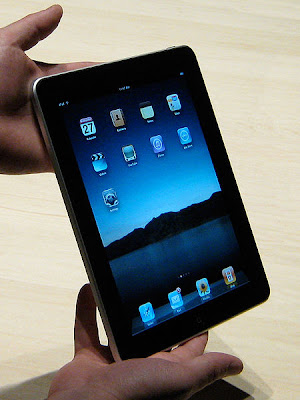
The iPad is a tablet computer designed and developed by Apple. It is particularly marketed as a platform for audio and visual media such as books, periodicals, movies, music, and games, as well as web content. At about 700 grams (25 ounces), its size and weight are between those of most contemporary smartphones and laptop computers. Apple released the iPad in April 2010, and sold 3 million of the devices in 80 days.

The iPad runs the same operating system as the earlier iPod Touch and iPhone, albeit a slightly older version. It can run its own applications as well as ones developed for the iPhone. Without modification, it will only run programs approved by Apple and distributed via its online store.

Like iPhone and iPod Touch, the iPad is controlled by a multitouch display — a break from most previous tablet computers, which used a pressure-triggered stylus. The iPad uses a Wi-Fi data connection to browse the Internet, load and stream media, and install software. Some models also have a 3G wireless data connection. The device is managed and synced by iTunes on a personal computer via USB cable.

Media reaction to the device has generally b

History

Apple's first tablet computer was the Newton MessagePad 100, introduced in 1993, which led to the creation of the ARM6 processor core with Acorn Computers. Apple also developed a prototype PowerBook Duo-based tablet, the PenLite, but in order to avoid hurting MessagePad sales did not sell it. Apple released several more Newton-based PDAs, and discontinued the last, the MessagePad 2100, in 1998.

With the success of the introduction of portable music player iPod in 2001, Apple re-entered the mobile-computing market in 2007 with the iPhone. Smaller than the iPad but featuring a camera and mobile phone, it pioneered the multitouch finger-sensitive touchscreen interface of Apple's mobile operating system—iOS. By late 2009, the iPad's release had been rumored for several years. Mostly referred to as "Apple's tablet", iTablet and iSlate were among the speculated names. The iPad was announced on January 27, 2010 by Steve Jobs at an Apple press conference at the Yerba Buena Center for the Arts in San Francisco.

Jobs later admitted that the iPad was developed before the iPhone. Upon realizing that it would work just as well as a mobile phone, Jobs put development of the iPad on hold and decided to develop the iPhone instead.
Hardware
Screen and input

The iPad's touchscreen display is a 25 cm (9.7 in) liquid crystal display (1024 × 768 pixels) with fingerprint-resistant and scratch-resistant glass. Like the iPhone, the iPad is designed to be controlled by bare fingers; normal gloves and styli that prevent electrical conductivity may not be used, although there are special gloves and styli designed for this use.

The display responds to two other sensors: an ambient light sensor to adjust screen brightness and a 3-axis accelerometer to sense iPad orientation and switch between portrait and landscape modes. Unlike the iPhone and iPod touch built-in applications, which work in three orientations (portrait, landscape-left and landscape-right), the iPad built-in applications support screen rotation in all four orientations (the three aforementioned ones along with upside-down), meaning that the device has no intrinsic "native" orientation; only the relative position of the home button changes.

The iPad has a switch to lock out the screen rotation function (reportedly to prevent unintended rotation when the user is lying down). There are a total of four physical switches, including a home button below the display that returns the user to the main menu, and three plastic physical switches on the sides: wake/sleep and volume up/down, along with the screen rotation lock.

Ars Technica noted the similarity between the iPad and Star Trek's fictional PADD tablet computer, both in name and functionality.
Connectivity
Steve Jobs, Apple CEO, introducing the iPad

The iPad can use Wi-Fi network trilateration from Skyhook Wireless to provide location information to applications such as Google Maps. The 3G model contains A-GPS to allow its position to be calculated with GPS or relative to nearby cellphone towers; it also has a black plastic accent on the back side to improve 3G radio sensitivity.

For wired connectivity, the iPad has a dock connector; it lacks the Ethernet and USB ports of larger computers.
Audio and output
Back of the iPad

The iPad has two internal speakers that push mono sound through two small sealed channels to the three audio ports carved into the bottom-right of the unit.A volume switch is on the right side of the unit.

A 3.5-mm TRS connector audio-out jack on the top-left corner of the device provides stereo sound for headphones with or without microphones and/or volume controls. The iPad also contains a microphone that can be used for voice recording.

The built-in Bluetooth 2.1 + EDR interface allows wireless headphones and keyboards to be used with the iPad.However, the iOS does not currently support file transfer via Bluetooth. iPad also features 1024 x 768 VGA video output for connecting an external display or television.
Power and battery
iPad in the iPad Keyboard Dock

The iPad uses an internal rechargeable lithium-ion polymer battery. The batteries are made in Taiwan by Simplo Technology, which makes 60% of them, and Dynapack International Technology. The iPad is designed to be charged with a high current (2 amperes) using the included USB 10 W power adapter. While it can be charged by a standard USB port from a computer, these are limited to 500 milliamperes (half an amp). As a result, if the iPad is turned on while being charged with a normal USB computer port, it will charge much more slowly, if at all.

Apple claims that the iPad's battery can provide up to 10 hours of video, 140 hours of audio playback, or one month on standby. Like any battery technology, the iPad's LiPo battery loses capacity over time, but is not designed to be user-replaceable. In a program similar to the battery-replacement program for the iPod and the original iPhone, Apple will replace an iPad that does not hold an electrical charge with a refurbished iPad for a fee of US$99 (plus $6.95 shipping).
Storage and SIM

The iPad was released with three options for internal storage size: a 16, 32, or 64 GB flash drive. All data is stored on the flash drive and there is no option to expand storage. Apple sells a camera connection kit with an SD card reader, but it can only be used to transfer photos and videos.

The side of the Wi-Fi + 3G model has a micro-SIM slot (not mini-SIM). Unlike the iPhone, which is usually sold locked to specific carriers, the 3G iPad is sold unlocked and can be used with any compatible GSM carrier. Japan is the exception to this, where the iPad 3G is locked to Softbank. In the U.S., data network access via T-Mobile's network is limited to slower EDGE cellular speeds because T-Mobile's 3G Network uses different frequencies.
Optional accessories
The iPad in its case

Apple offers several iPad accessories, including:

* iPad Keyboard Dock with hardware keyboard, 30-pin connector, and audio jack
* iPad Case which can be used to stand the iPad in various positions
* iPad Dock with 30-pin connector and audio jack
* iPad Dock Connector to VGA Adapter for external monitor or projector
* iPad Camera Connection Kit including a USB Type A connector adapter and an SD card reader, for transferring photos and videos
* iPad 10W USB Power Adapter with 2 A output (10 W)

Technical specifications
Model Wi-Fi Wi-Fi + 3G
Announcement date January 27, 2010
Release date April 3, 2010[3] April 30, 2010
Display 9.7 inches (25 cm) multitouch display at a resolution of 1024 × 768 pixels with LED backlighting and a fingerprint and scratch resistant coating.
Processor 1 GHz Apple A4 System on a chip
Storage Fixed capacity of 16, 32, or 64 GB
Wireless Wi-Fi (802.11a/b/g/n), Bluetooth 2.1+EDR
No wireless wide-area network interface 3G cellular HSDPA, 2G cellular EDGE
Geolocation WiFi/Apple location databases Assisted GPS, Apple databases, cellular network
Environmental sensors Accelerometer, ambient light sensor, magnetometer (for digital compass)
Operating system iOS 3.2.2 and iOS 4.2 Due November
Battery Built-in lithium-ion polymer battery; (10 hours video,140 hours audio, 1 month standby)
Weight 680 g (1.5 lb) 730 g (1.6 lb)
Dimensions 242.8 × 189.7 × 13.4 mm (9.56 × 7.47 × 0.53 in)
Mechanical keys Home, sleep, screen rotation lock (mute switch on iOS4.2, volume).


Manufacture

The iPad is assembled by Foxconn, which also manufactures Apple's iPod, iPhone and Mac Mini, in its largest plant in Shenzhen, China.

iSuppli estimated that each iPad 16 GB Wi-Fi version costs US$259.60 to manufacture, a total that excludes research, development, licensing and patent costs.[ Apple does not disclose the makers of iPad components, but teardown reports and analysis from industry insiders indicate that various parts and their suppliers include:

* Apple A4 SoC: Samsung.
* NAND flash RAM chips: Toshiba; except Samsung for the 64 GB model.
* Touch-screen chips: Broadcom.
* IPS Display: LG Display
* Touch panels: Wintek. (Got the job after TPK Touch Solutions was unable to fulfill its orders, delaying the iPad's release from late March to early April.)
* Case: Catcher Technologies.
* LCD drivers: Novatek Microelectronics.
* Batteries: 60% are made in Taiwan by Simplo Technology, 40% by Dynapack International.
* Accelerometer: STMicroelectronics.

Software

Like the iPhone, with which it shares a development environment (iPhone SDK, or software development kit, version 3.2 onwards), the iPad only runs its own software, software downloaded from Apple's App Store, and software written by developers who have paid for a developer's license on registered devices. The iPad runs almost all third-party iPhone applications, displaying them at iPhone size or enlarging them to fill the iPad's screen. Developers may also create or modify apps to take advantage of the iPad's features. Application developers use iPhone SDK for developing applications for iPad. The iPad has been shipping with a customized iPad-only version of iPhone OS, dubbed v3.2. On September 1, it was announced the iPad will get iOS 4.2 by November 2010.
Applications

The iPad comes with several applications, including Safari, Mail, Photos, Video, YouTube, iPod, iTunes, App Store, iBooks, Maps, Notes, Calendar, Contacts, and Spotlight Search. Several are improved versions of applications developed for the iPhone.

The iPad syncs with iTunes on a Mac or Windows PC. Apple ported its iWork suite from the Mac to the iPad, and sells pared down versions of Pages, Numbers, and Keynote apps in the App Store. Although the iPad is not designed to replace a mobile phone, a user can use a wired headset or the built-in speaker and microphone and place phone calls over Wi-Fi or 3G using a VoIP application.The iPad has lots of third party applications available for it; as of September 1, 2010 there were 25000 iPad specific apps on the AppStore.
Digital rights management
For more details on the digital rights management, see iOS.

The iPad employs DRM intended to lock purchased content - including TV shows, movies, and apps-- to operate only on Apple's platform. Also, the iPad's development model requires anyone creating an app for the iPad to sign a non-disclosure agreement and pay for a developer subscription. Furthermore, critics argue Apple's centralized app approval process and control and lockdown of the platform itself could stifle software innovation. Of particular concern to digital rights advocates is the ability for Apple to remotely disable or delete apps, media, or data on the iPad at will.

Digital rights advocates, including the Free Software Foundation, Electronic Frontier Foundation, and computer engineer and activist Brewster Kahle, have criticized the iPad for its digital rights restrictions. Paul Sweeting, an analyst with GigaOM, is quoted by National Public Radio saying, "With the iPad, you have the anti-Internet in your hands. [...] It offers [the major media companies] the opportunity to essentially re-create the old business model, wherein they are pushing content to you on their terms rather than you going out and finding content, or a search engine discovering content for you." But Sweeting also thinks Apple's limitations make its products feel like living in a safe neighborhood, saying, "Apple is offering you a gated community where there's a guard at the gate, and there's probably maid service, too." Laura Sydell, the article's author, concludes, "As more consumers have fears about security on the Internet, viruses and malware, they may be happy to opt for Apple's gated community."

Jailbreaking
For more details on iPad Jailbreaking, see iOS jailbreaking.

Like other iOS Devices, the iPad can be "jailbroken", allowing applications and programs that are not authorized by Apple to run on the device. Once jailbroken, iPad users are able to download many applications previously unavailable through the App Store via unofficial installers such as Cydia, as well as illegally pirated applications. Apple claims jailbreaking voids their factory warranty on the device in the United States.
Books, news, and magazine content
Reading a book on the iPad
Further information: iBookstore

The iPad has an optional iBooks application that can be downloaded from the App Store, which displays books and other ePub-format content downloaded from the iBookstore. For the iPad launch on April 3, 2010, the iBookstore is available only in the United States.Several major book publishers including Penguin Books, HarperCollins, Simon & Schuster and Macmillan have committed to publishing books for the iPad.

In February 2010, Condé Nast Publications said it would sell iPad subscriptions for its GQ, Vanity Fair and Wired magazines by June.

In April 2010, The New York Times announced it will begin publishing daily on the iPad. As of October 2010, The New York Times iPad app is ad-supported and available for free without a paid subscription, but will transition to a subscription-based model in 2011. Major news organizations, such as The Wall Street Journal, BBC, and Reuters have released iPad applications, to varying degrees of success.

Censorship
Further information: Apple App Store censorship

Apple's App Store, which provides iPhone and iPad applications, imposes censorship of content, which has become an issue for book publishers and magazines seeking to use the platform. The Guardian described the role of Apple as analogous to that of the distributor WH Smith, a main distributor which for many years imposed content restrictions on British publishers.

Due to the exclusion of porn from the App Store, YouPorn and others changed their video format from Flash to H.264 and HTML5 specifically for the iPad.In an e-mail exchange with Ryan Tate from Valleywag, Steve Jobs claimed that the iPad offers "freedom from porn", leading to many upset replies including Adbustings in Berlin by artist Johannes P. Osterhoff and in San Francisco during WWDC10.

Release

Apple began taking pre-orders for the iPad from U.S. customers on March 12, 2010. The only major change to the device between its announcement and being available to pre-order was the change of the behavior of the side switch from sound muting to that of a screen rotation lock. The Wi-Fi version of the iPad went on sale in the United States on April 3, 2010. The Wi-Fi + 3G version was released on April 30.

3G service in the United States is provided by AT&T and was initially sold with two prepaid contract-free data plan options: one for unlimited data and the other for 250 MB per month at half the price.On June 2, 2010, AT&T announced that effective June 7 the unlimited plan would be replaced for new customers with a 2 GB plan at slightly lower cost; existing customers would have the option to keep the unlimited plan. The plans are activated on the iPad itself and can be canceled at any time.

The iPad was launched in Australia, Canada, Fra Online pre-orders in those countries began on May 10.Apple released the iPad in Austria, Belgium, Hong Kong, Ireland, Luxembourg, Mexico, Netherlands, New Zealand and Singapore on 23 July 2010. Israel briefly prohibited importation of the iPad because of concerns that its Wi-Fi might interfere with other devices.On September 17, 2010 the iPad officially launched in China.

The device was initially popular with 300,000 iPads being sold on their first day of availability.[94] By May 3, 2010 Apple had sold a million iPads, this was in half the time it took Apple to sell the same number of original iPhones. By May 31, 2010 Apple had sold two million iPads[97] and by June 22, 2010 they had sold 3 million. Between July 1 and September 30, 2010 Apple sold a further 4.2 million iPads. During the October 18, 2010 Financial Conference Call, Steve Jobs announced that Apple had sold more iPads than Macs for the Fiscal Quarter.

The South Korean Minister of Culture and Tourism, Yu In-chon was criticized for using an "unapproved" iPad on a public occasion; it is illegal to use an unapproved electronic device in South Korea.

The iPad was initially only available online at The Apple Store as well as the companys' retail locations. The iPad has since been available for purchase through many retailers including Amazon, Wal-Mart and Best Buy.

Reception
Reaction to the announcement

Media reaction to the iPad announcement was mixed. Walt Mossberg wrote, "It's about the software, stupid", meaning hardware features and build are less important to the iPad's success than software and user interface, his first impressions of which were largely positive. Mossberg also called the price "modest" for a device of its capabilities, and praised the ten-hour battery life. Others, including PC Advisor and The Sydney Morning Herald, wrote that the iPad would also compete with proliferating netbooks, most of which use Microsoft Windows. The base model's $499 price was lower than pre-release estimates by the tech press, Wall Street analysts, and Apple's competitors, all of whom were expecting a much higher entry price point.

Yair Reiner said the iPad will compete against e-book devices such as the Barnes & Noble Nook and the Amazon Kindle while offering 70 percent of revenue to p Notably, a week before the iPad's expected release, the Amazon Kindle store increased publishers' revenue share to 70 percent as well.

Several days after the unveiling, Stephen Fry said people must use the iPad to truly appreciate its purpose and quality and commented that common criticisms of the device fall away after use. Fry noted the iPad's speed and responsiveness, the intuitive interface and the richness and detail of the display. Along with Steve Jobs' statements in the announcement, members of the media also said that it established a new class of devices between smartphones and laptops.

Reviews

Reviews of the iPad have been generally favorable. Walt Mossberg of The Wall Street Journal called it a "pretty close" laptop killer. David Pogue of The New York Times wrote a "dual" review, one part for technology-minded people, and the other part for non-technology-minded people. In the former section, he notes that a laptop offers more features for a cheaper price than the iPad. In his review for the latter audience, however, he claims that if his readers like the concept of the device and can understand what its intended uses are, then they will enjoy using the device. PC Magazine's Tim Gideon wrote, "you have yourself a winner" that "will undoubtedly be a driving force in shaping the emerging tablet landscape."Michael Arrington of TechCrunch said, "the iPad beats even my most optimistic expectations. This is a new category of device. But it also will replace laptops for many people."

PC World criticized the iPad's slim file-sharing and printing abilities, and Ars Technica said sharing files with a computer is "without a doubt one of our least favorite parts of the iPad experience."

Reaction to the international launch

On May 28, 2010 the iPad was released in Australia, Canada, Japan as well as several larger European countries. Media reaction to the launch was mixed. The media noted the positive response from fans for the device with thousands of people queued on the first day of sale in a number of these countries. The media also praised the quantity of applications, as well as the bookstore and other media applications. In contrast they criticized the iPad for being a closed system and mentioned that the iPad faces competition from Android based tablets.With regards to its books application The Independent criticized the iPad for not being as readable in bright light as paper. However they also praised the device for being able to store a large number of different books.

Omitted features

CNET and Gizmodo listed features that are missing from the iPad that they believe customers expect, including a camera for video chat, Adobe Flash support, a longer and narrower "widescreen" aspect ratio suitable for watching widescreen movies, and the ability to multitask (run more than one application at once), a USB port, HDMI output, and a more flexible wired-data port than the iPod dock connector. According to Apple's iOS 4 unveiling and demonstration on April 8, 2010, as well as the Keynote presentation available on their website, multitasking will be available to all iPad users with a software update in the fall of 2010. The Seattle Post-Intelligencer and Gizmodo noted that the iPad will officially support installing software only from the App Store. CNET also criticised the iPad for its apparent lack of wireless sync which other portable devices such as Microsoft's Zune have had for a number of years. The built-in iTunes app is able to download from the Internet as well.

CNN and Wired News defended Apple's omission of a number of features, including support for Adobe Flash, noting that YouTube and Vimeo have switched to H.264 for video streaming. They also said that "[multitasking] will not matter at all to the target user", as its absence is responsible for "a large part of [the iPad's] ten-hour battery life." Multitasking will be added in the next iPad software update. Of the aspect ratio: "16:9 ratio in [portrait mode] would look oddly tall and skinny ... [4:3 is] a compromise, and a good one." Of the lack of a USB port: "The iPad is meant to be an easy-to-use appliance, not an all-purpose computer. A USB port would mean installing drivers for printers, scanners and anything else you might hook up."

People have been divided over whether to consider the iPad a personal computer. Forrester Research has argued that the iPad should be considered a form of personal computer in spite of Apple's restrictions on creating and editing files with the iPad. In contrast PC World have argued that the iPad isn't a personal computer due to it omitting several key features including multitasking and support for Adobe Flash.

Product name

Like the iPhone, the iPad shares its name with existing products. The most publicized is the Fujitsu iPAD, a mobile multi-functional device sold to retailers to help clerks verify prices, check inventory, and close sales. The Japanese company Fujitsu introduced the iPAD in 2002, and the following year applied for the trademark, but the firm found the mark was already owned by Mag-Tek. Fujitsu's trademark application was listed as "abandoned" in April 2009, and the ownership of the mark is unclear. Fujitsu consulted attorneys over what, if any, action it might take. On March 17, 2010 the Fujitsu iPAD U.S. trademark was transferred to Apple.

In the first days after the iPad's announcement, some media and many online commenters criticized the name "iPad", noting its similarity to "pad", the common name for a sanitary napkin. Shortly after the launch announcement, the hashtag "iTampon" became the number-two trending topic on the social networking site Twitter.
Usage
Business

While the iPad is mostly used by consumers it also has been taken up by business users. Some companies are adopting iPads in their business offices by distributing or making available the iPads to employees. Examples of uses in the workplace include attorneys responding to clients, medical professionals accessing health records during patient exams, and managers approving employee requests.

A survey by Frost & Sullivan shows that iPad usage in office workplaces is linked to the goals of increased employee productivity, reduced paperwork, and increased revenue. The research firm estimates that "The mobile-office application market in North America may reach $6.85 billion in 2015, up from an estimated $1.76 billion [in 2010]."

Children

The iPad has several uses in the classroom, and has been praised as a valuable tool for homeschooling.Soon after the iPad was released, it was reported that 81% of the top book apps were for children. The iPad has also been called a revolutionary tool to help children with autism learn how to communicate and socialize more easily. 


(source:wikipedia)